Free Smartphone Photography Course
Module 1: Grip Guide.
100% free.
Start instantly.
No registration required.

The #1 smartphone photography problem. Your grip.
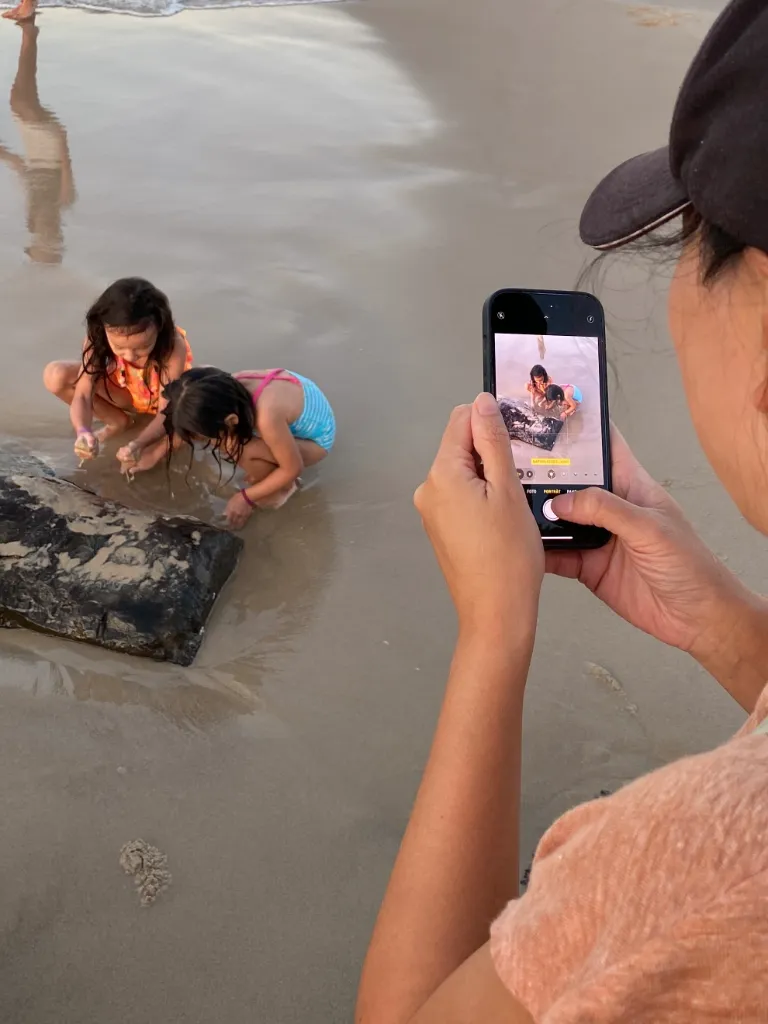
Default smartphone grip.

Standard framing. Standard result.
How to hold your smartphone and frame your subject.
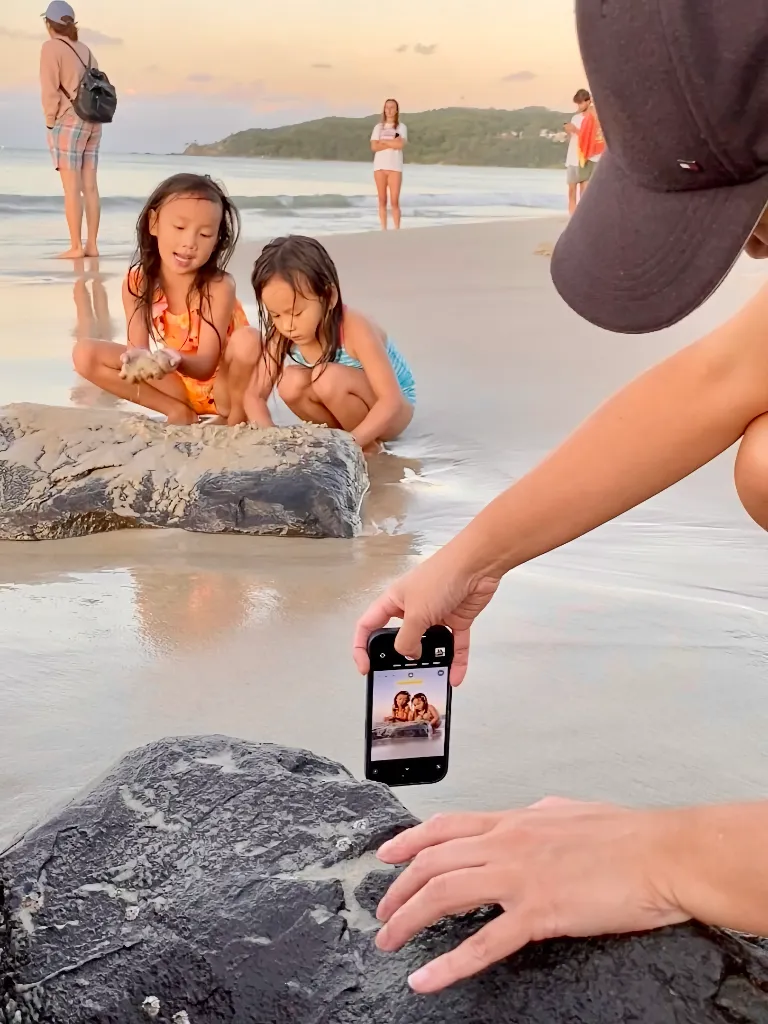
Better smartphone grip.

Clearer framing. Stronger result.
Next: Video lesson 2.
✅ Grip Guide. 10 minutes to get started.
👉 Watch the video now.

From snapshot to standout piece.

Made to look beautiful on your wall.
In this free smartphone photography course,
you’ll find the key grip visuals from Video 2.
Clear and easy to revisit.
💡 Tip: You can also use the volume buttons for a steady photo.
Hold your smartphone lower and closer to the scene.

One-handed smartphone grip at chest level.

A beautiful smartphone photo with Piximeo.

One-handed smartphone grip at chest level.

A beautiful smartphone photo with Piximeo.

Two-handed smartphone grip close to the scene.

A beautiful smartphone photo with Piximeo.

One-handed smartphone grip close to the scene.

A beautiful smartphone photo with Piximeo.

Two-handed smartphone grip close to the scene.

A beautiful smartphone photo with Piximeo.

Smartphone grip placed into the scene.

A beautiful smartphone photo with Piximeo.

Smartphone grip placed into the scene.

A beautiful smartphone photo with Piximeo.

One-Handed smartphone Grip.

A beautiful smartphone photo with Piximeo.
These positions may feel unfamiliar at first. We’re used to holding our phones in the standard scrolling grip.
That is exactly the point. New habits lead to better photos.
👉 Small changes in how you hold your smartphone can change the photo.
Hold your smartphone close to the surface.

Smartphone grip low to the ground.

A beautiful smartphone photo with Piximeo.

Two-handed smartphone grip close to the surface.

A beautiful smartphone photo with Piximeo.

One-handed smartphone grip close to the surface.

A beautiful smartphone photo with Piximeo.

One-handed smartphone grip close to the surface.

A beautiful smartphone photo with Piximeo.

One-handed smartphone grip close to the surface.

A beautiful smartphone photo with Piximeo.
Hold your smartphone into the scene.
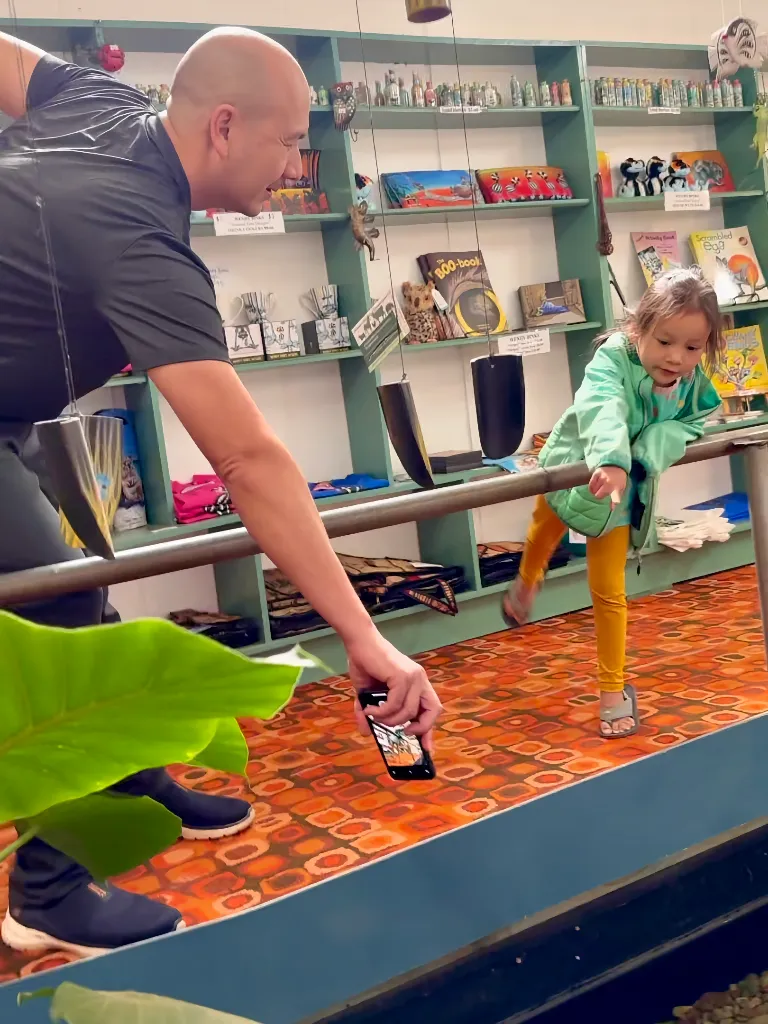
One-handed smartphone grip for more reach.

A beautiful smartphone photo with Piximeo.

One-handed smartphone grip for more reach.

A beautiful smartphone photo with Piximeo.

Two-handed smartphone grip for more reach.

A beautiful smartphone photo with Piximeo.

One-handed smartphone grip for more reach.

A beautiful smartphone photo with Piximeo.

Two-handed smartphone grip for more reach.

A beautiful smartphone photo with Piximeo.
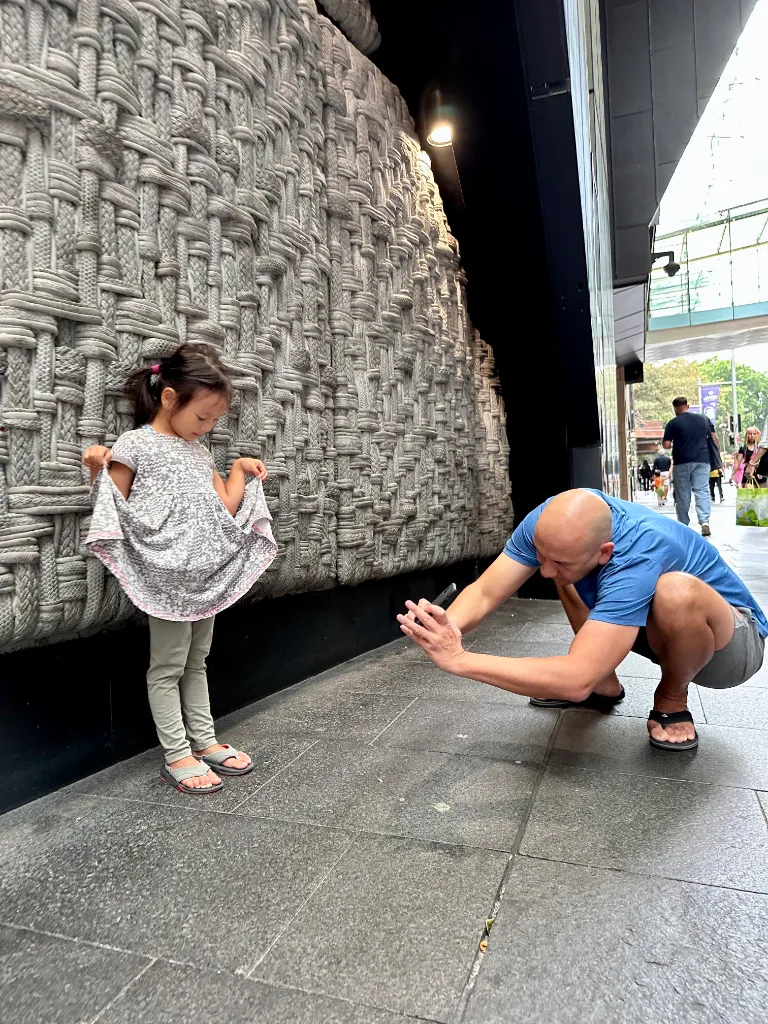
Two-handed smartphone grip for more reach.

A beautiful smartphone photo with Piximeo.

One-handed smartphone grip for more reach.

A beautiful smartphone photo with Piximeo.
Hold your smartphone steady while moving.

One-handed smartphone grip at hip level.

A beautiful smartphone photo with Piximeo.

One-handed smartphone grip at hip level.

A beautiful smartphone photo with Piximeo.
Walk alongside. Crouch down. Step closer. Sometimes even into the water.
When you move while taking photos, you will not always see your screen clearly. That is part of it. Learn to guide your smartphone with intention, even without looking at the display.
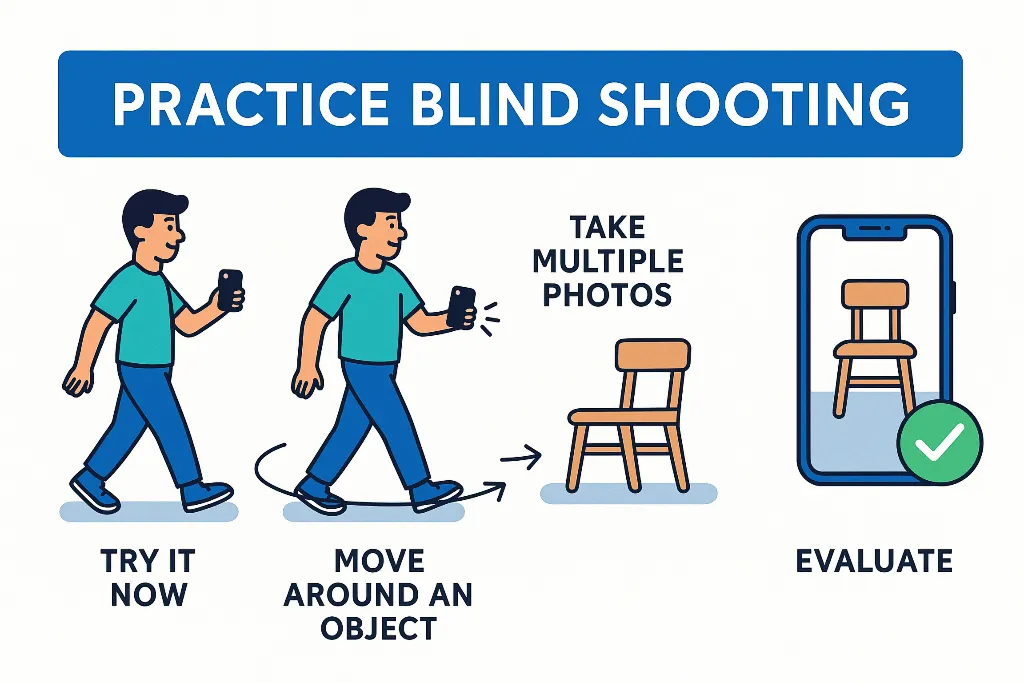
Try a few photos without checking the display. Trust your sense of timing and placement.
Move around one object.
Choose something simple, like a chair. Walk around it at a steady pace while holding your smartphone in different positions.
Take several photos.
Photograph from different positions and review the results afterwards.
Evaluate.
How often did you capture the object well? Repeat the exercise until it starts to feel natural.
💡Helpful tip.
Use the volume buttons to take photos while you move. It makes photographing easier and steadier.
👉 With a little practice, this will become one of your most useful photo habits.
Hold your smartphone at chest or eye level.

One-handed smartphone grip at chest level.

A beautiful smartphone photo with Piximeo.

One-handed smartphone grip at chest level.

A beautiful smartphone photo with Piximeo.
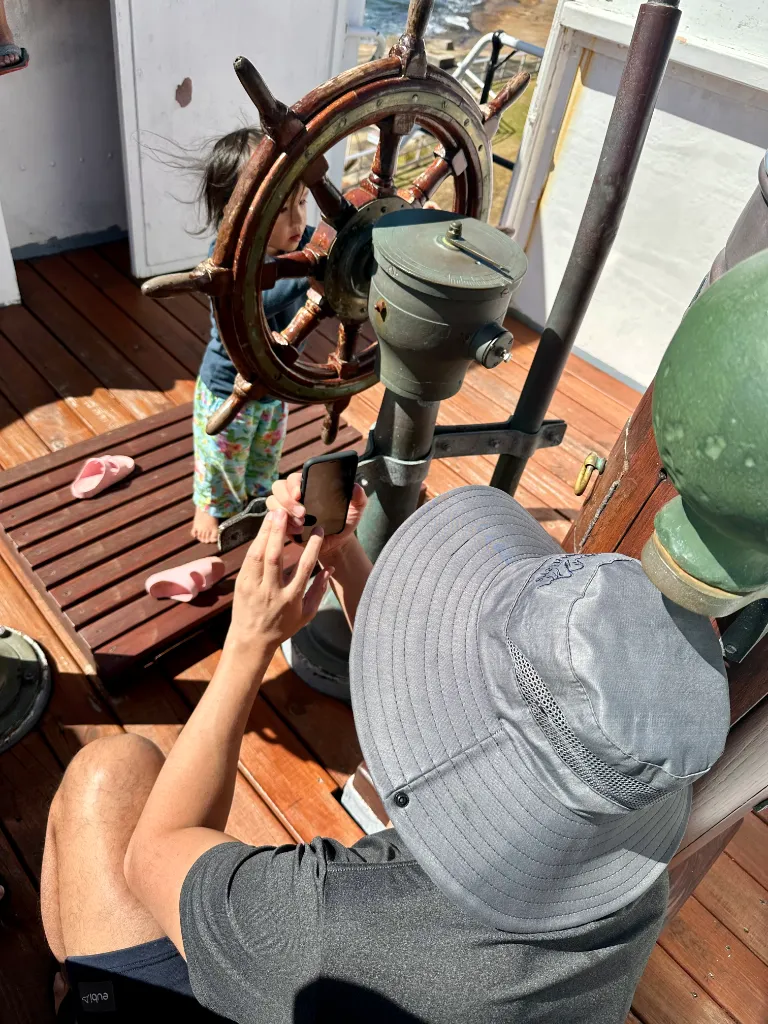
Two-handed smartphone grip at eye level.

A beautiful smartphone photo with Piximeo.

One-handed smartphone grip at eye level.

A beautiful smartphone photo with Piximeo.
If you want to move beyond typical snapshots, hold your smartphone more often at eye level or slightly below, around chest height.
A simple change in grip. A clear change in the photo.

Hold your smartphone at eye level or slightly below, around chest height.
Bring your smartphone down to your child’s level.
Rest your smartphone on objects for more stable photos.

Smartphone grip leaned against an object.

A beautiful smartphone photo with Piximeo.

Smartphone grip leaned against an object.

A beautiful smartphone photo with Piximeo.

Smartphone grip supported on an object.

A beautiful smartphone photo with Piximeo.
For steadier photos, a little more support helps. Use your second hand when you can. Or rest your smartphone on a solid object nearby.
A small shift. More stability.
 Exercise. Try different grips.
Recreate the example positions and take a few practice photos.
Use the volume buttons.
They give you more control and make it easier to stay steady.
Notice what changes.
Your photos may already feel steadier, closer, and more intentional.
See different smartphone grips up close.

One-handed smartphone grip up close.

One-handed smartphone grip up close.
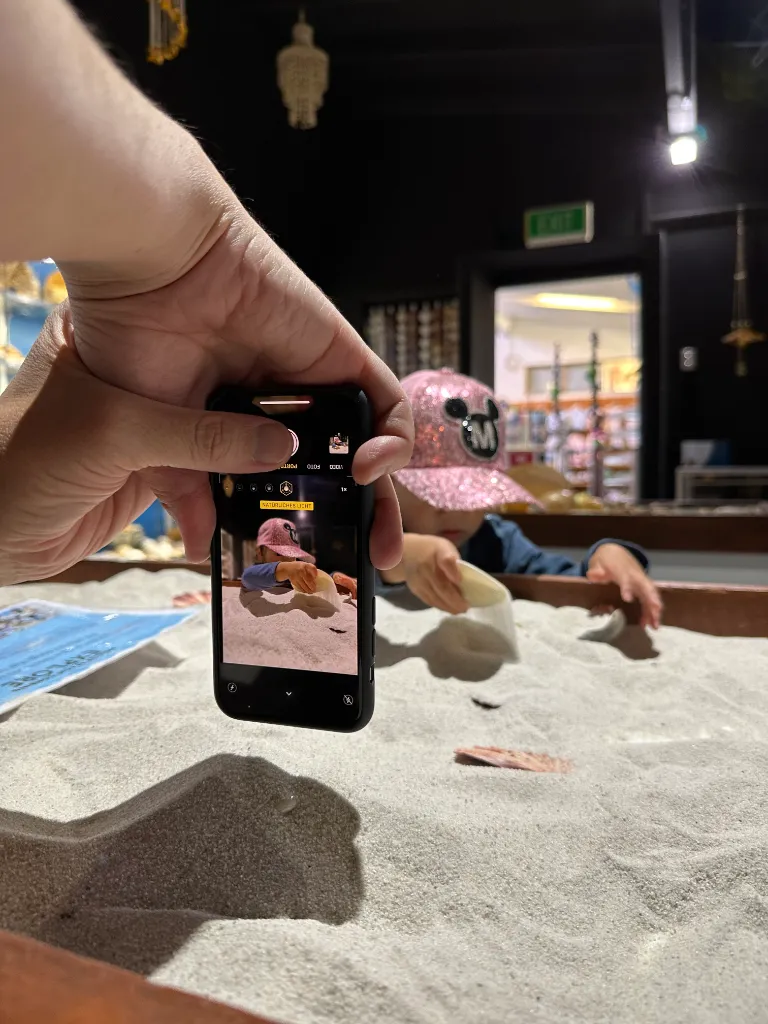
Two-handed smartphone grip up close.
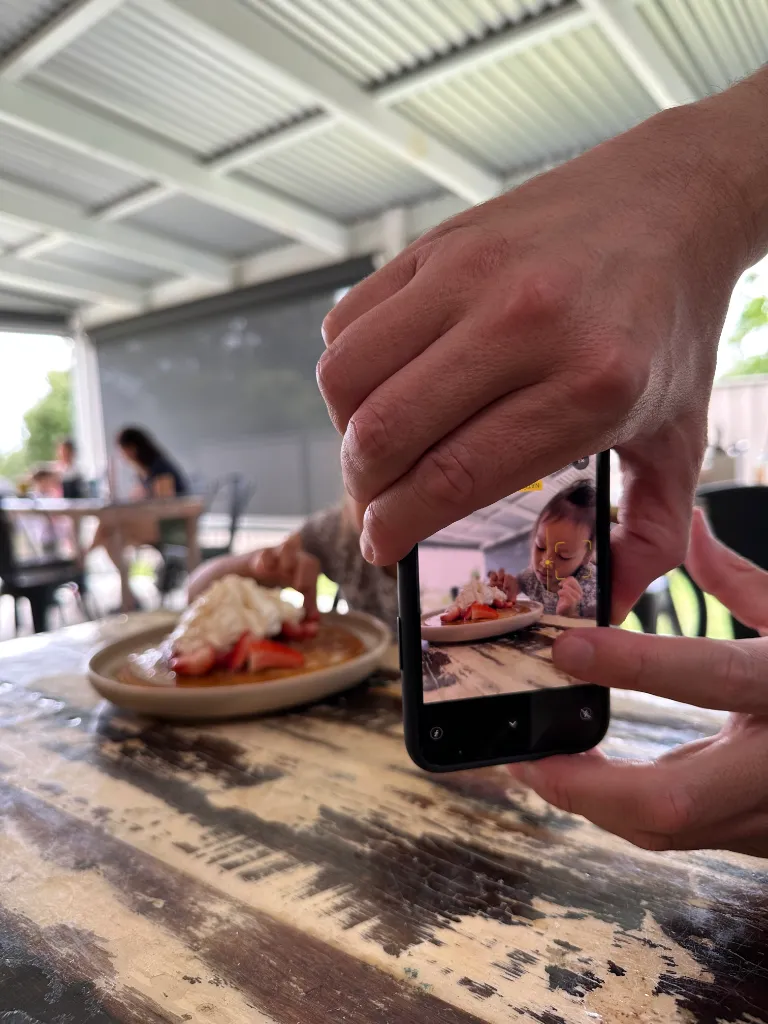
Two-handed smartphone grip up close.

Two-handed smartphone grip up close.
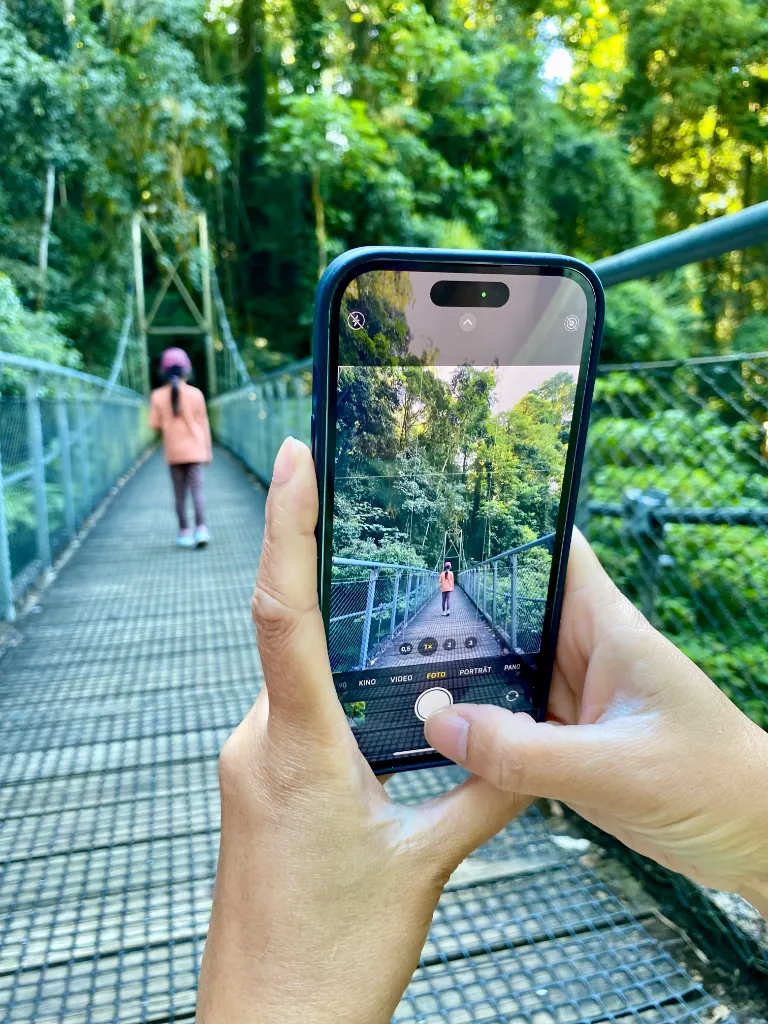
Two-handed smartphone grip up close.

Two-handed smartphone grip up close.

One-handed smartphone grip up close.
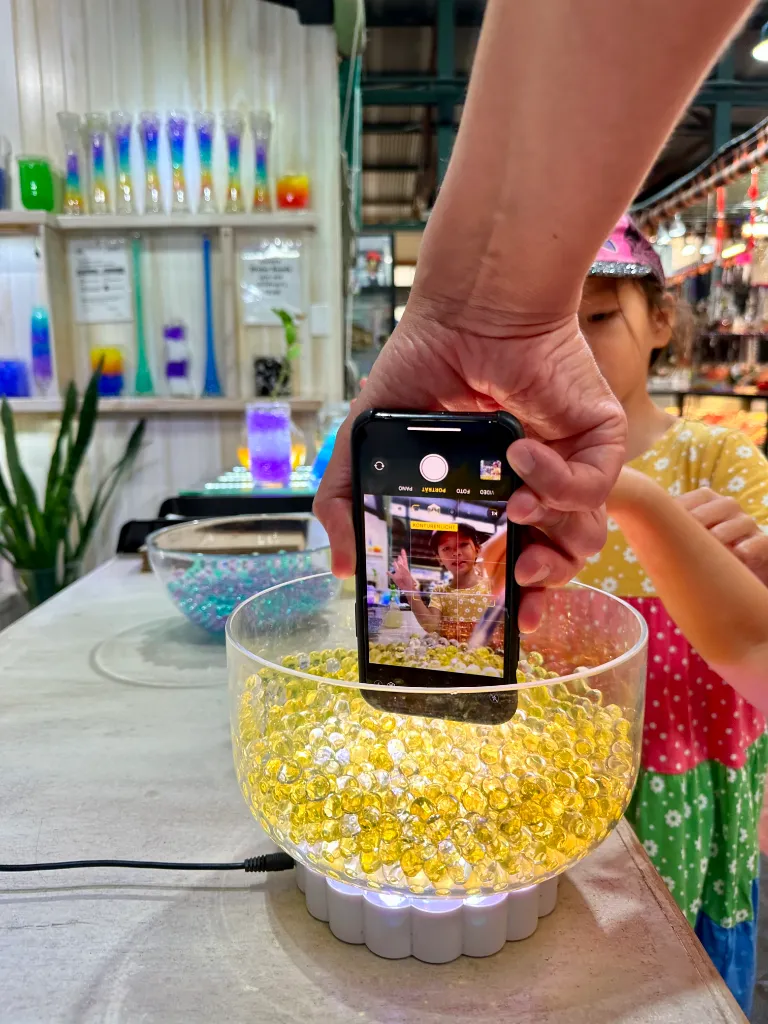
One-handed smartphone grip up close.

Two-handed smartphone grip up close.

Support hand. More stability. More control. Less shake.
In about 80% of cases, a simple shift helps.
Hold your smartphone upside down, with the camera lens pointing toward the ground.

👉 Upside down helps.
The lens sits lower. That gives you more reach close to the ground.
👉 Vertical makes it easier.
This grip works especially well when you hold your smartphone upright.
👉 The buttons are easier to reach.
The volume buttons sit in a more natural place for taking photos.
💡Good to know.
Your smartphone automatically rotates the photos, so they appear correctly in your library.
See the kinds of results you can already achieve by applying what you’ve learned in Module 1.

Smartphone photo skills after Module 1.

Smartphone photo skills after Module 1.

A beautiful smartphone photo after Module 1.

A beautiful smartphone photo after Module 1.

A beautiful smartphone photo after Module 1.

A beautiful smartphone photo after Module 1.

Photo example from Module 2.
Magic Moments

Photo example from Module 2.
Magic Moments

Photo example from Module 2.
Magic Moments

Photo example from Module 2.
Magic Moments

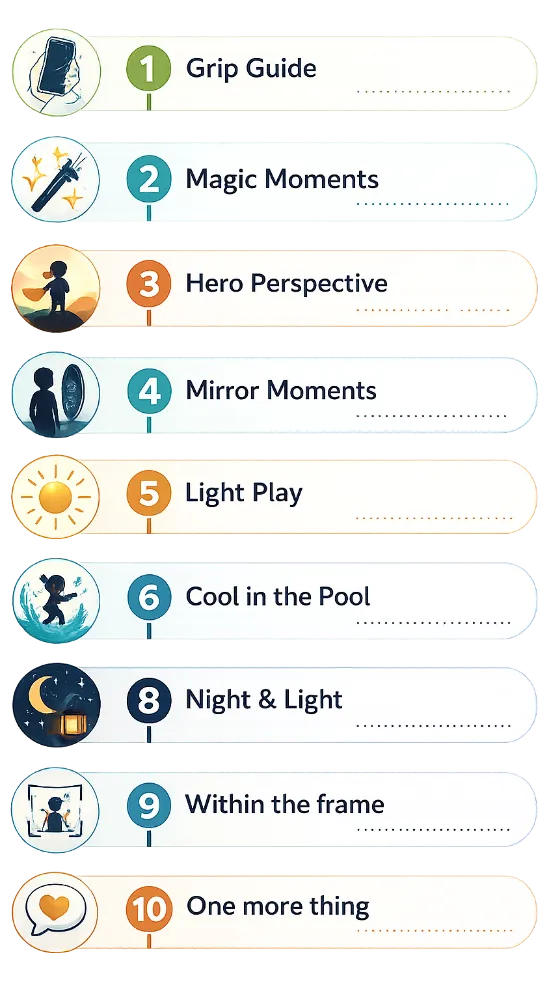
✅ You’ve already seen what Module 1 can do and how Piximeo works in real life.
✅ Modules 2–10 build on the same practical, hands-on approach, with more techniques, more guidance, and more depth.
✅ By the end of the course, you’ll know how to get more out of every smartphone photo you take.

Photo Example. Module 3.
Hero Perspective

Photo Example. Module 4.
Mirror Moments

Photo Example. Module 5.
Light Play

Photo Example. Module 6.
Cool in the Pool

Photo Example. Module 7.
Facing little wonders

Photo Example. Module 8.
Night & Light

Photo Example. Module 9.
Within the frame

Photo Example. Module 10.
One more thing

More modules available soon.


