Free Smartphone Photography Course

Module 1: Grip Guide.
100% free.

Start instantly.
No registration required.

Grip Guide Intro

Course Module 1

✅ How to hold your smartphone more steadily
✅ Why your body position changes the photo
✅ How to grip your smartphone with more control

👉 Watch video 1 now. Try it right away.

The #1 smartphone photography problem. Your grip.
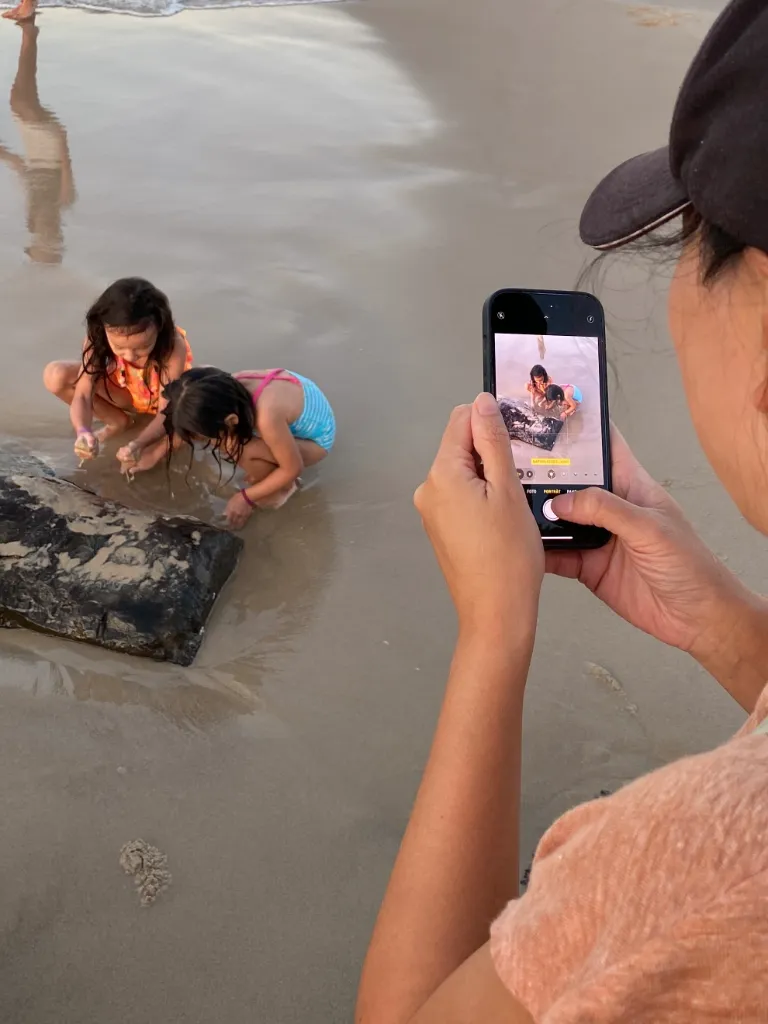
free smartphone iphone photography course common mistake wrong iphone grip

Default smartphone grip.

Standard framing. Standard result.

How to hold your smartphone and frame your subject.
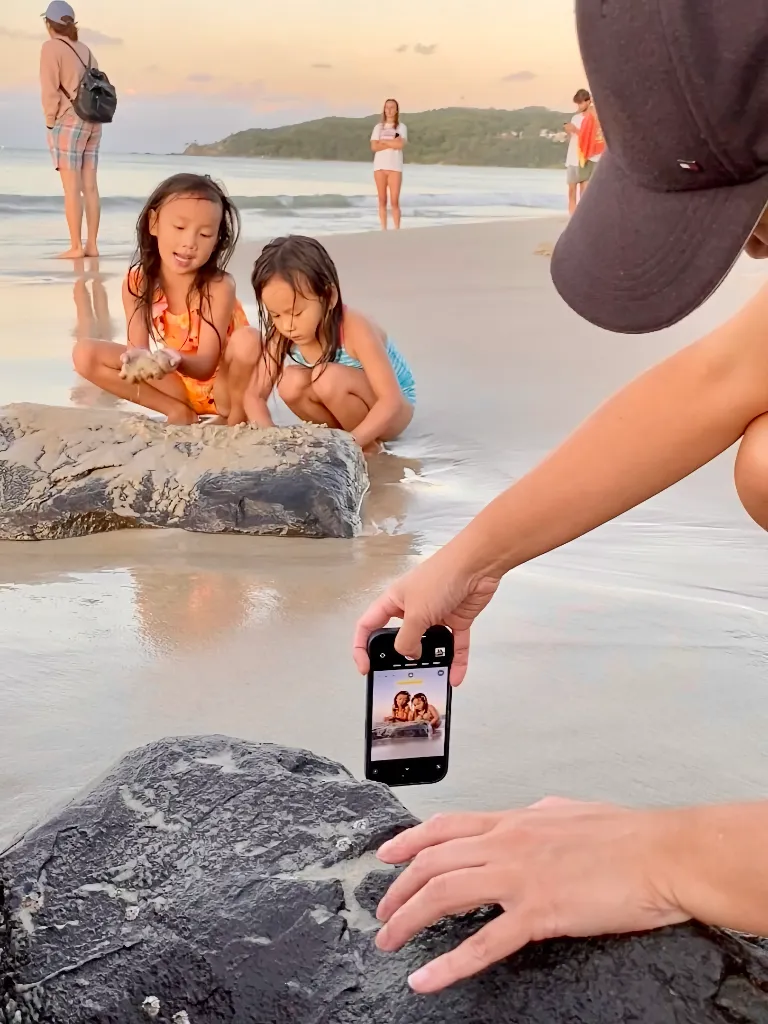
free smartphone iphone photography course after grip guide

Better smartphone grip.

free smartphone iphone photography course after grip guide result beach photo

Clearer framing. Stronger result.

Next: Video lesson 2.

✅ Grip Guide. 10 minutes to get started.

👉 Watch the video now.

Heart-empty Heart-empty Your best smartphone photos. As posters.

Turn your favorite photos into beautiful posters and bring them into your home as lasting memories.

Below, you’ll see two previews of how beautiful your photos can look as full-size posters.

free iphone photography course after grip guide result poster 1

From snapshot to standout piece.

free iphone photography course after grip guide result poster 2

Made to look beautiful on your wall.

Free course. Module 1: Improve your smartphone grip

In this free smartphone photography course,
you’ll find the key grip visuals from Video 2.

Clear and easy to revisit.

💡 Tip: You can also use the volume buttons for a steady photo.

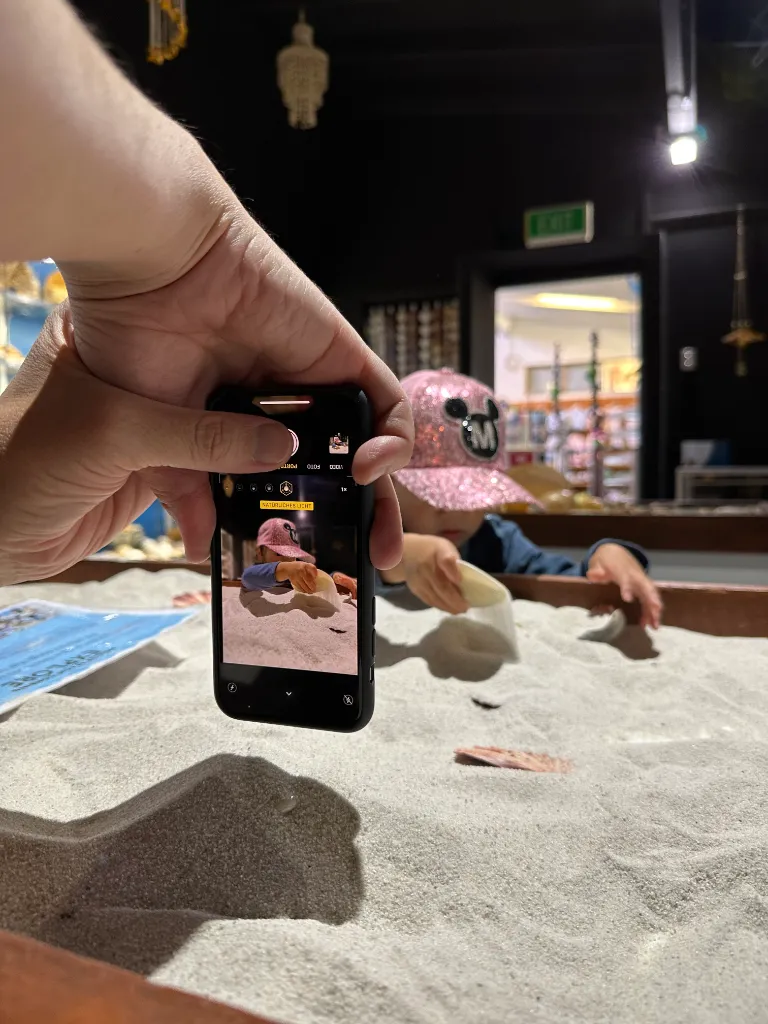
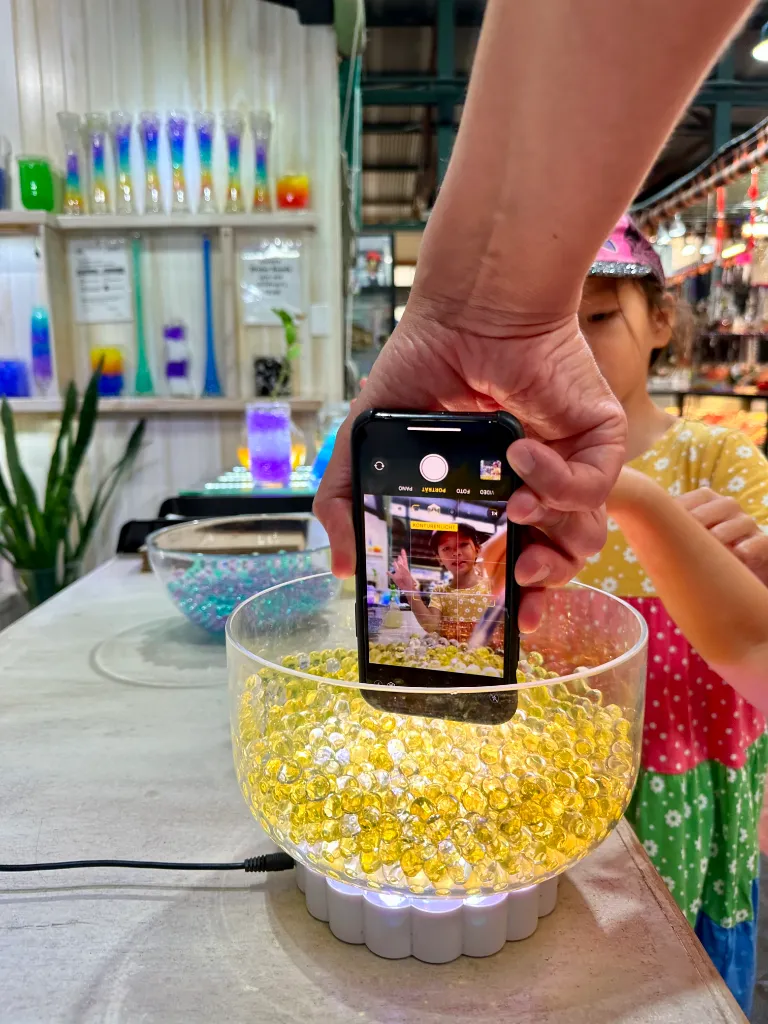
Hold your smartphone lower and closer to the scene.

free smartphone iphone photography course grip guide one handed result 01

One-handed smartphone grip at chest level.

free smartphone iphone photography course after grip guide result poster 01

A beautiful smartphone photo with Piximeo.

free smartphone iphone photography course grip guide one handed 01

One-handed smartphone grip at chest level.

free smartphone iphone photography course grip guide one handed result 02

A beautiful smartphone photo with Piximeo.

free smartphone iphone photography course grip guide two handed 01

Two-handed smartphone grip close to the scene.

free smartphone iphone photography course grip guide two handed result 01

A beautiful smartphone photo with Piximeo.

free smartphone iphone photography course grip guide one handed 03

One-handed smartphone grip close to the scene.

free smartphone iphone photography course grip guide one handed result 03

A beautiful smartphone photo with Piximeo.

free smartphone iphone photography course grip guide two handed 04

Two-handed smartphone grip close to the scene.

free smartphone iphone photography course grip guide two handed result 04

A beautiful smartphone photo with Piximeo.

free smartphone iphone photography course grip guide with support 05

Smartphone grip placed into the scene.

free smartphone iphone photography course grip guide with support result 05

A beautiful smartphone photo with Piximeo.

free smartphone iphone photography course grip guide grip in a shelf 06

Smartphone grip placed into the scene.

free smartphone iphone photography course grip guide in a shelf result 06

A beautiful smartphone photo with Piximeo.

free smartphone iphone photography course grip guide one handed 07

One-Handed smartphone Grip.

free smartphone iphone photography course grip guide one handed result 07

A beautiful smartphone photo with Piximeo.

Discover new smartphone photo possibilities. For free.

These positions may feel unfamiliar at first. We’re used to holding our phones in the standard scrolling grip.

That is exactly the point. New habits lead to better photos.

👉 Small changes in how you hold your smartphone can change the photo.

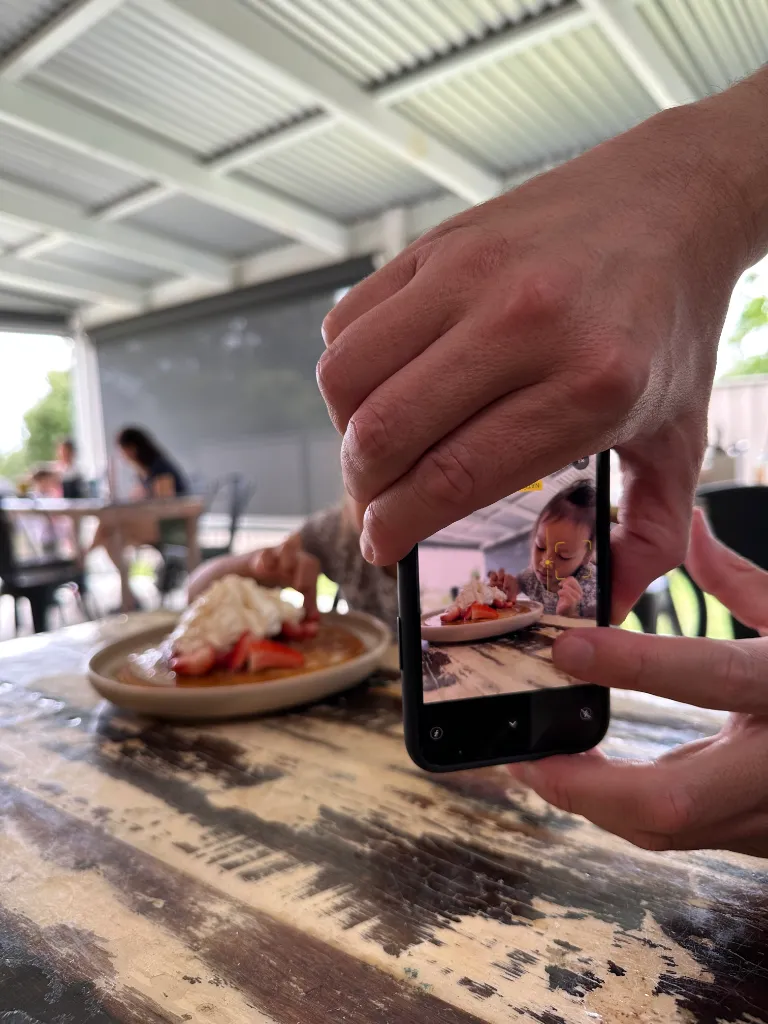
Hold your smartphone close to the surface.

smartphone photography course iphone grip above the ground 08

Smartphone grip low to the ground.

smartphone photography course iphone grip above the ground result 08

A beautiful smartphone photo with Piximeo.

smartphone photography course iphone grip above the ground 09

Two-handed smartphone grip close to the surface.

smartphone photography course iphone grip above the ground result 09

A beautiful smartphone photo with Piximeo.

smartphone photography course iphone grip above the ground 10

One-handed smartphone grip close to the surface.

smartphone photography course iphone grip above the ground result 10

A beautiful smartphone photo with Piximeo.

smartphone photography course iphone grip above the ground 11

One-handed smartphone grip close to the surface.

smartphone photography course iphone grip above the ground result 11

A beautiful smartphone photo with Piximeo.
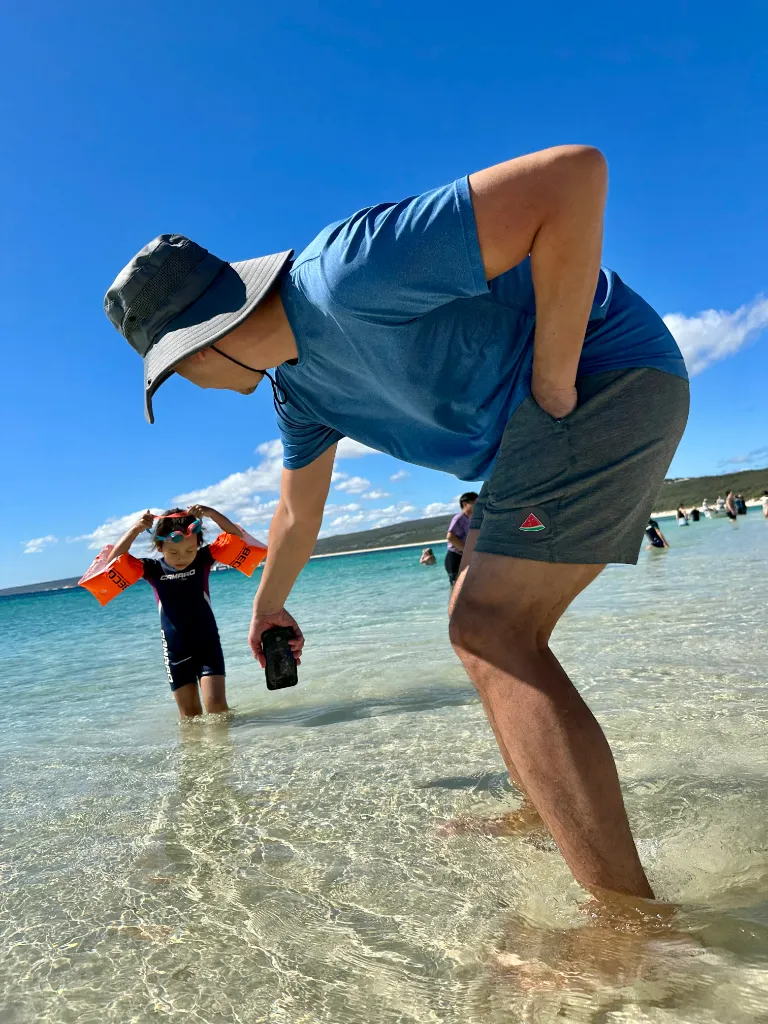
smartphone photography course iphone grip above the ground 12

One-handed smartphone grip close to the surface.

smartphone photography course iphone grip above the ground result 12

A beautiful smartphone photo with Piximeo.

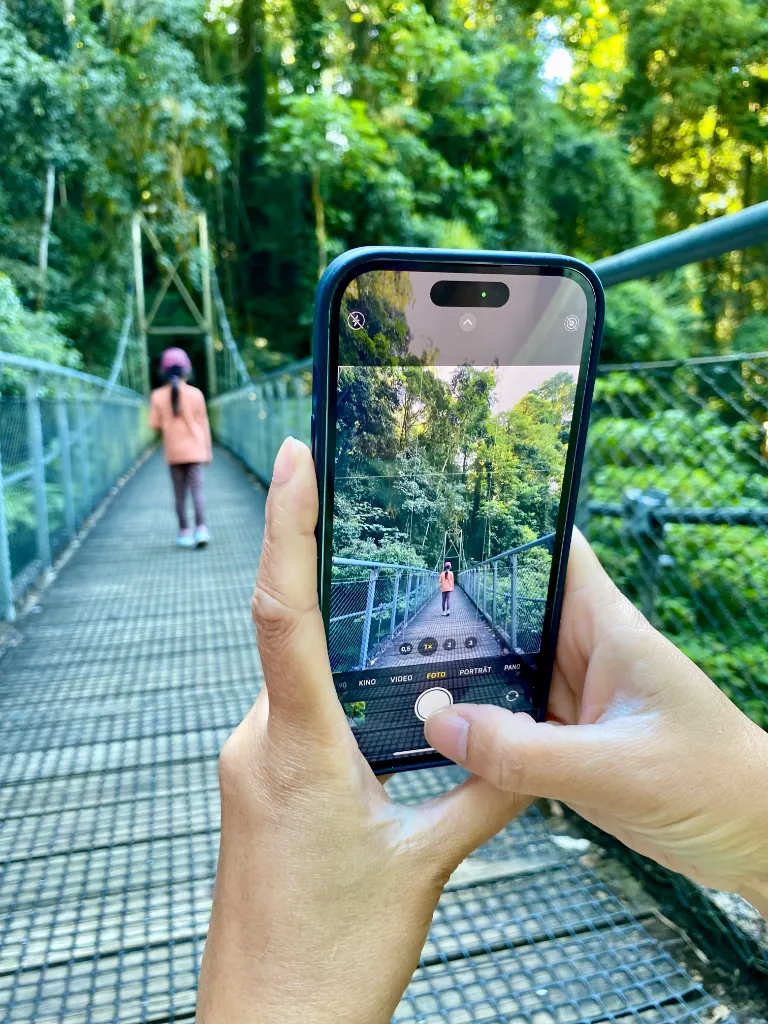
Hold your smartphone into the scene.
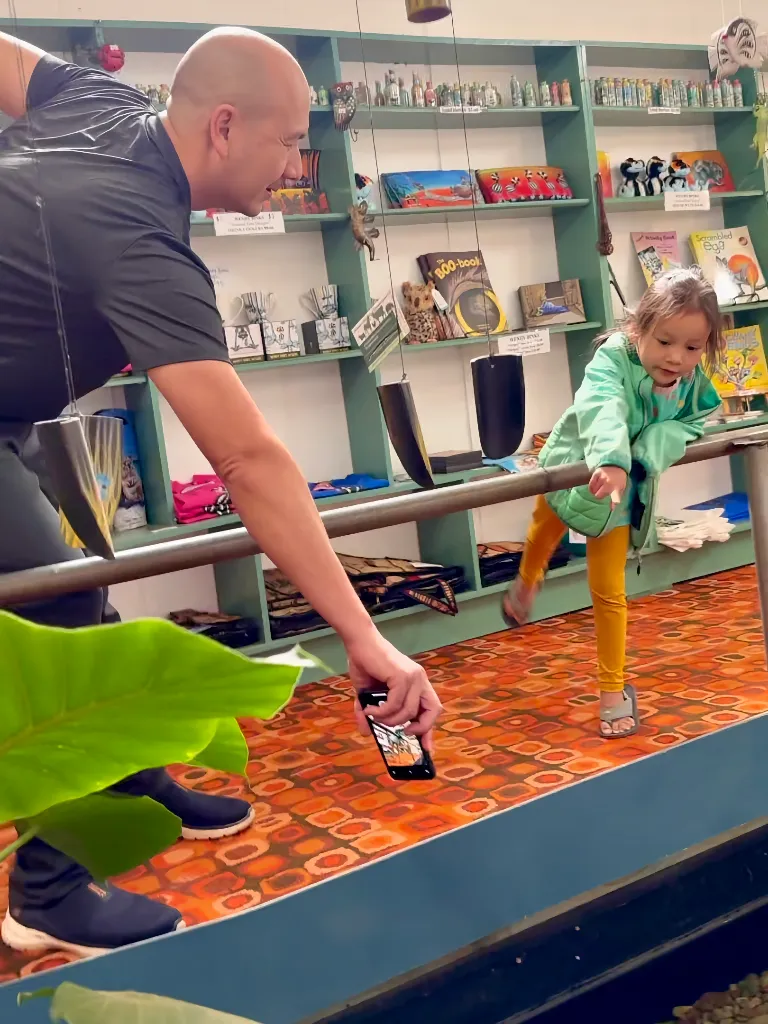
free smartphone photography course iphone grip extreme angles 13

One-handed smartphone grip for more reach.

free smartphone photography course iphone grip extreme angles photo result 13

A beautiful smartphone photo with Piximeo.

free smartphone photography course iphone grip extreme angles 14

One-handed smartphone grip for more reach.

free smartphone photography course iphone grip extreme angles photo result 14

A beautiful smartphone photo with Piximeo.

free smartphone photography course iphone grip extreme angles 15

Two-handed smartphone grip for more reach.

free smartphone photography course iphone grip extreme angles photo result 15

A beautiful smartphone photo with Piximeo.

free smartphone photography course iphone grip extreme angles 16

One-handed smartphone grip for more reach.

free smartphone photography course iphone grip extreme angles photo result 16

A beautiful smartphone photo with Piximeo.
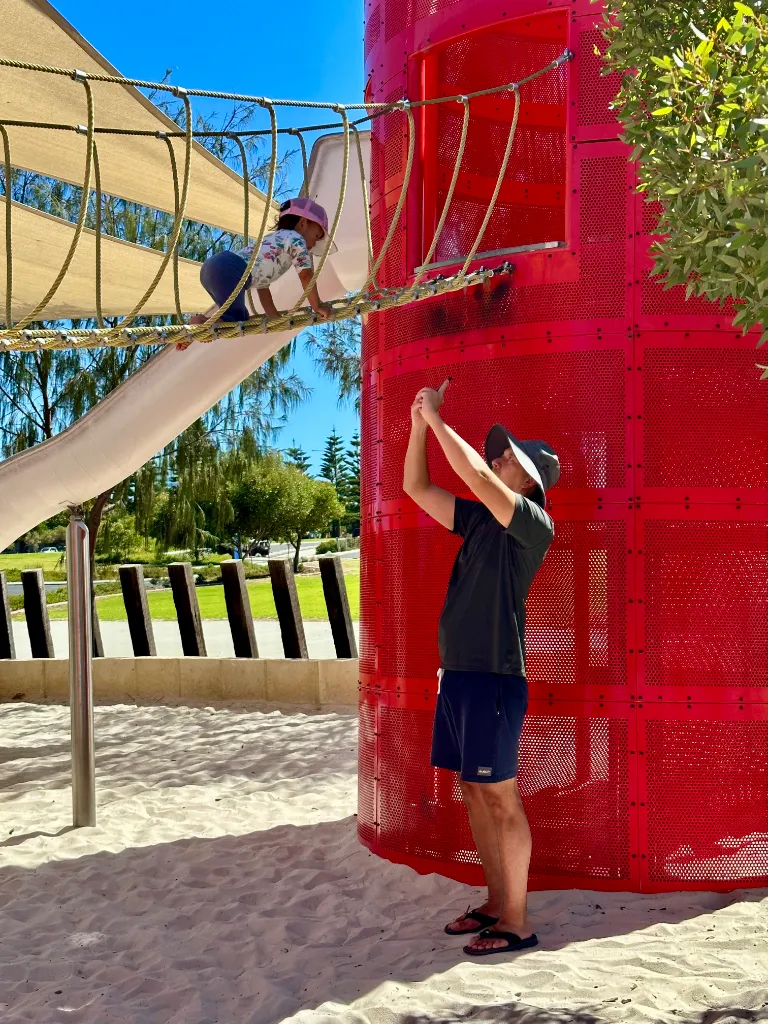
free smartphone photography course iphone grip extreme angles 17

Two-handed smartphone grip for more reach.

free smartphone photography course iphone grip extreme angles photo result 17

A beautiful smartphone photo with Piximeo.
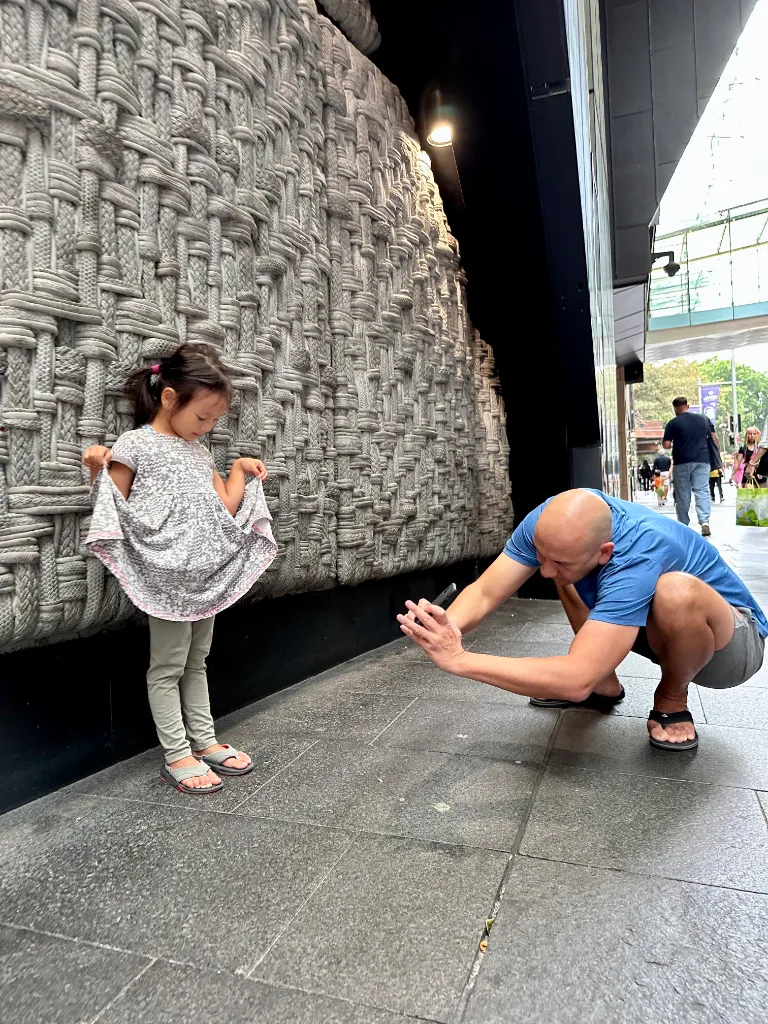
free smartphone photography course iphone grip extreme angles 18

Two-handed smartphone grip for more reach.

free smartphone photography course iphone grip extreme angles photo result 18

A beautiful smartphone photo with Piximeo.

free smartphone photography course iphone grip extreme angles 19

One-handed smartphone grip for more reach.

free smartphone photography course iphone grip extreme angles photo result 19

A beautiful smartphone photo with Piximeo.

Hold your smartphone steady while moving.

free smartphone iphone photography course holding techniques on the move 20

One-handed smartphone grip at hip level.

free smartphone iphone photography course holding techniques on the move photo result 20

A beautiful smartphone photo with Piximeo.

free smartphone iphone photography course holding techniques on the move 21

One-handed smartphone grip at hip level.

free smartphone iphone photography course holding techniques on the move photo result 21

A beautiful smartphone photo with Piximeo.

Where you stand matters. So does how you move.

Walk alongside. Crouch down. Step closer. Sometimes even into the water.

When you move while taking photos, you will not always see your screen clearly. That is part of it. Learn to guide your smartphone with intention, even without looking at the display.
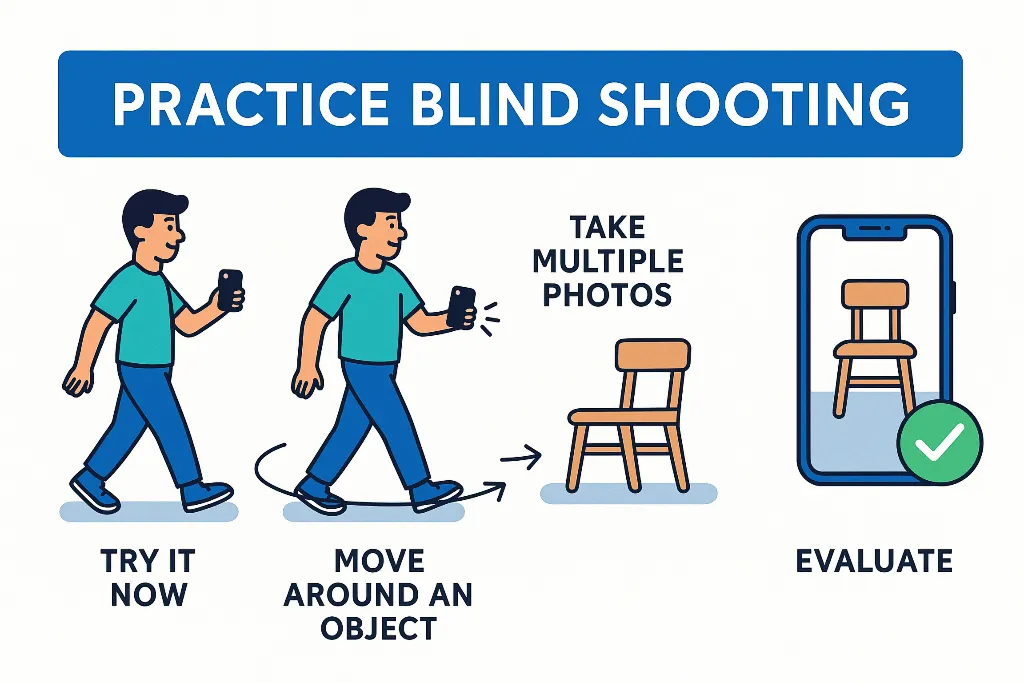
free smartphone iphone photography course blind shooting


🎯 Exercise. Practice without looking at the screen.

Try a few photos without checking the display. Trust your sense of timing and placement.

Move around one object.
Choose something simple, like a chair. Walk around it at a steady pace while holding your smartphone in different positions.

Take several photos.
Photograph from different positions and review the results afterwards.

Evaluate.
How often did you capture the object well? Repeat the exercise until it starts to feel natural.

💡Helpful tip.
Use the volume buttons to take photos while you move. It makes photographing easier and steadier.

👉 With a little practice, this will become one of your most useful photo habits.

Hold your smartphone at chest or eye level.
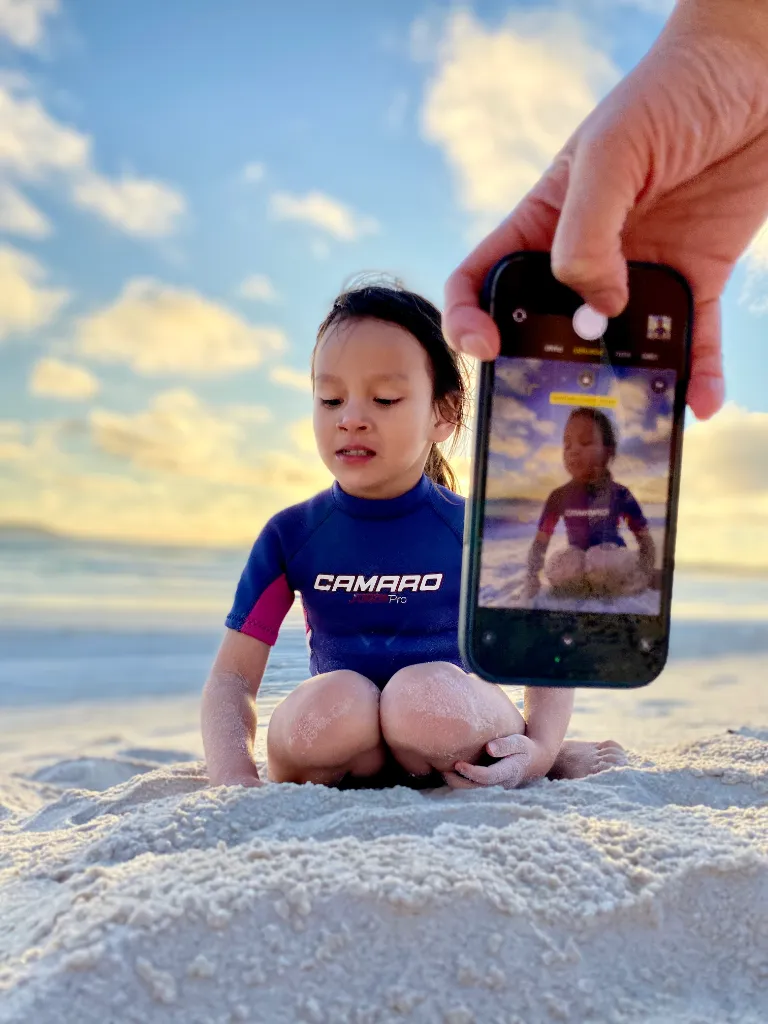
iphone photography course children shot at chest level 22

One-handed smartphone grip at chest level.

iphone photography course children shot at chest level photo result 22

A beautiful smartphone photo with Piximeo.

iphone photography course children shot at chest level photo result 23

One-handed smartphone grip at chest level.

iphone photography course children shot at chest level photo result 23

A beautiful smartphone photo with Piximeo.
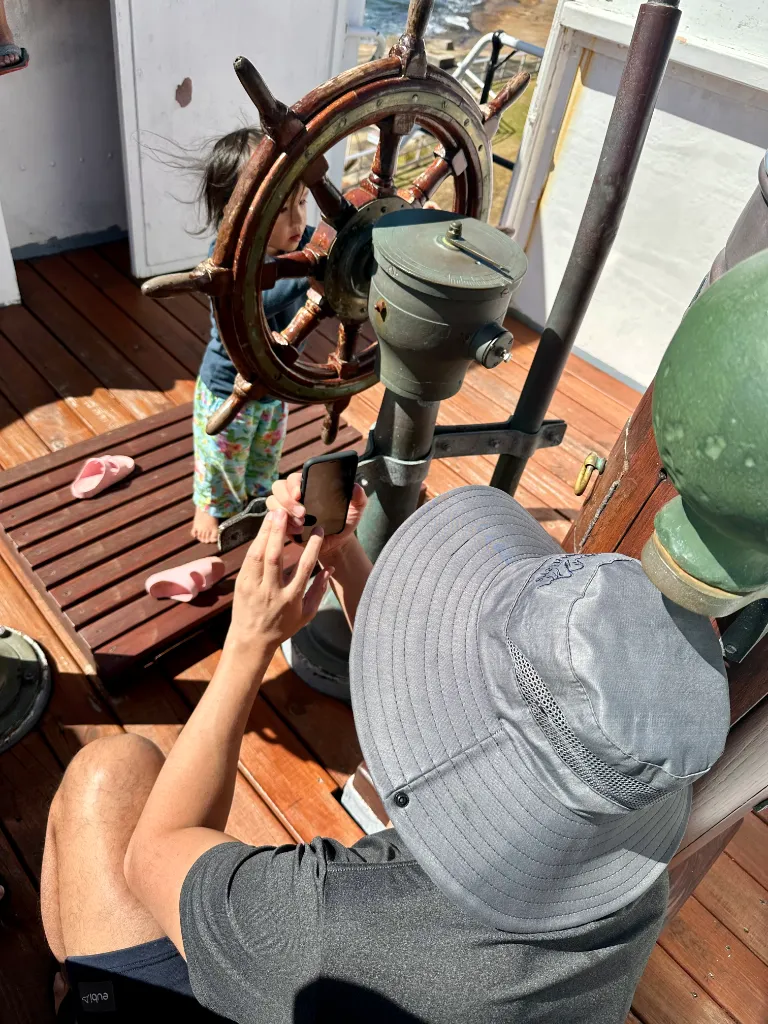
iphone photography course children shot at eye level 23

Two-handed smartphone grip at eye level.

iphone photography course children shot at eye level photo result 23

A beautiful smartphone photo with Piximeo.

iphone photography course children shot at eye level 24

One-handed smartphone grip at eye level.

iphone photography course children shot at eye level photo result 24

A beautiful smartphone photo with Piximeo.

Eye level starts with how you hold your smartphone.

If you want to move beyond typical snapshots, hold your smartphone more often at eye level or slightly below, around chest height.

A simple change in grip. A clear change in the photo.

children photo before after shot from above vs shot at eye level


🎯 Exercise. Try eye level.

Hold your smartphone at eye level or slightly below, around chest height.

Bring your smartphone down to your child’s level.

Rest your smartphone on objects for more stable photos.

free smartphone photography course leaning iphone on objects 25

Smartphone grip leaned against an object.

free smartphone photography course leaning iphone on objects photo result 25

A beautiful smartphone photo with Piximeo.

free smartphone photography course leaning iphone on objects 26

Smartphone grip leaned against an object.

free smartphone photography course leaning iphone on objects photo result 26

A beautiful smartphone photo with Piximeo.

free smartphone photography course leaning iphone on objects 27

Smartphone grip supported on an object.

free smartphone photography course leaning iphone on objects photo result 27

A beautiful smartphone photo with Piximeo.

In photography, many moments naturally begin one-handed.

For steadier photos, a little more support helps. Use your second hand when you can. Or rest your smartphone on a solid object nearby.

A small shift. More stability.


🎯 Exercise. Try different grips.

Recreate the example positions and take a few practice photos.

Use the volume buttons.
They give you more control and make it easier to stay steady.

Notice what changes.
Your photos may already feel steadier, closer, and more intentional.

See different smartphone grips up close.

free smartphone iphone photography course grip variations close up 01

One-handed smartphone grip up close.

free smartphone iphone photography course grip variations close up 02

One-handed smartphone grip up close.

free smartphone iphone photography course grip variations close up 03

Two-handed smartphone grip up close.

free smartphone iphone photography course grip variations close up 04

Two-handed smartphone grip up close.

free smartphone iphone photography course grip variations close up 05

Two-handed smartphone grip up close.

free smartphone iphone photography course grip variations close up 06

Two-handed smartphone grip up close.

free smartphone iphone photography course grip variations close up 07

Two-handed smartphone grip up close.

free smartphone iphone photography course grip variations close up 08

One-handed smartphone grip up close.

free smartphone iphone photography course grip variations close up 09

One-handed smartphone grip up close.

free smartphone iphone photography course grip variations close up 10

Two-handed smartphone grip up close.

smartphone iphone photography course support hand more control

Support hand. More stability. More control. Less shake.

You already have more range in your smartphone grip than you think.

In about 80% of cases, a simple shift helps.
Hold your smartphone upside down, with the camera lens pointing toward the ground.

smartphone photography course kids photos hold your iphone upside down


👉
Upside down helps.
The lens sits lower. That gives you more reach close to the ground.

👉 Vertical makes it easier.
This grip works especially well when you hold your smartphone upright.

👉 The buttons are easier to reach.
The volume buttons sit in a more natural place for taking photos.

💡Good to know.
Your smartphone automatically rotates the photos, so they appear correctly in your library.

Free smartphone photography course. Module 1 results.

See the kinds of results you can already achieve by applying what you’ve learned in Module 1.

smartphone photography course iphone photo skills after module 1 grip guide 01

Smartphone photo skills after Module 1.

smartphone photography course iphone photo skills after module 1 grip guide 03

Smartphone photo skills after Module 1.

smartphone photography course iphone photo skills after module 1 grip guide 05

A beautiful smartphone photo after Module 1.

smartphone photography course iphone photo skills after module 1 grip guide 06

A beautiful smartphone photo after Module 1.

smartphone photography course iphone photo skills after module 1 grip guide 07

A beautiful smartphone photo after Module 1.

smartphone photography course iphone photo skills after module 1 grip guide 08

A beautiful smartphone photo after Module 1.

Rocket Rocket Preview: Smartphone photography course. Module 2: Magic Moments

See what becomes possible in Module 2 when you apply the techniques with more intention and creativity.

You’ll learn to capture more emotional, authentic moments in a more natural way.

smartphone photography course iphone photo skills after module 2 magic moments 01

Photo example from Module 2.
Magic Moments

smartphone photography course iphone photo skills after module 2 magic moments 02

Photo example from Module 2.
Magic Moments

smartphone photography course iphone photo skills after module 2 magic moments 03

Photo example from Module 2.
Magic Moments

smartphone photography course iphone photo skills after module 2 magic moments 04

Photo example from Module 2.
Magic Moments

Take your smartphone photography further with Module 2: Magic Moments


Learn how to capture emotional, authentic moments you’ll want to keep for years to come.

🎁 Get instant access to Module 2. Free. Email required.

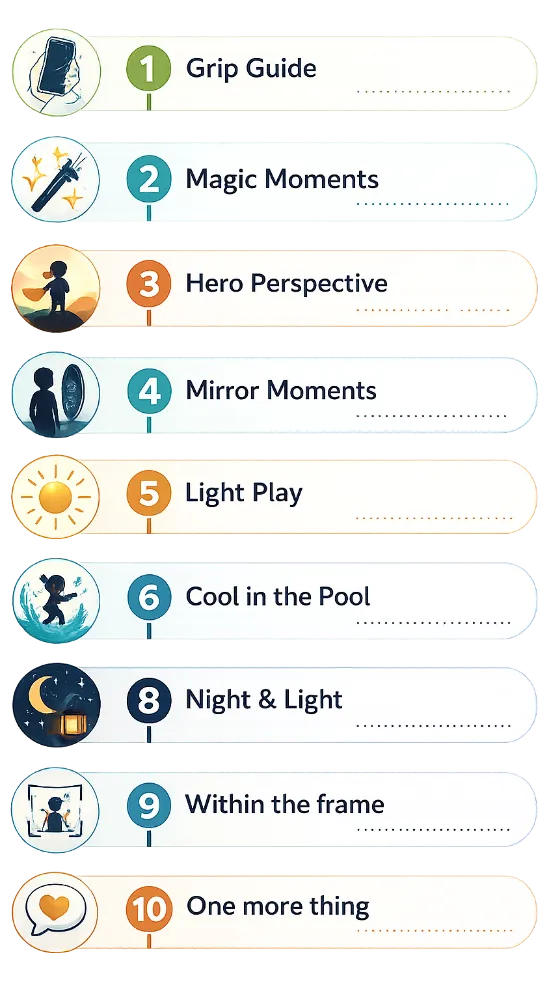
Book-open Book-open Modules 2–10: Take your smartphone photography further

You’ve already seen what Module 1 can do and how Piximeo works in real life.

Modules 2–10 build on the same practical, hands-on approach, with more techniques, more guidance, and more depth.

By the end of the course, you’ll know how to get more out of every smartphone photo you take.

Book-open Book-open Modules 2–10: Take your smartphone photography further

smartphone-iphone-photography-course-table-of-contents-mobile-3

✅ You’ve already seen what Module 1 can do and how Piximeo works in real life.

✅ Modules 2–10 build on the same practical, hands-on approach, with more techniques, more guidance, and more depth.

✅ By the end of the course, you’ll know how to get more out of every smartphone photo you take.

Heart-empty Heart-empty See what your smartphone photography can become

Modules 2–10 introduce new techniques that take your smartphone photography further.

More intention. More creativity. More depth.

Take the next step with Modules 2–10.

smartphone iphone photography course preview module 3

Photo Example. Module 3.
Hero Perspective

smartphone iphone photography course preview module 4

Photo Example. Module 4.
Mirror Moments

smartphone iphone photography course preview module 5

Photo Example. Module 5.
Light Play

smartphone iphone photography course preview module 6

Photo Example. Module 6.
Cool in the Pool

smartphone iphone photography course preview module 7

Photo Example. Module 7.
Facing little wonders

smartphone iphone photography course preview module 8

Photo Example. Module 8.
Night & Light

smartphone iphone photography course preview module 9

Photo Example. Module 9.
Within the frame

smartphone iphone photography course preview module 10

Photo Example. Module 10.
One more thing

smartphone iphone photography course preview module 11

More modules available soon.

© Copyright 2026 by Piximeo